
Tutor-Swan Tutorial
Everything you need to know about mastering the AI-powered grading revolution. Choose your role to see how Tutor-Swan empowers you.
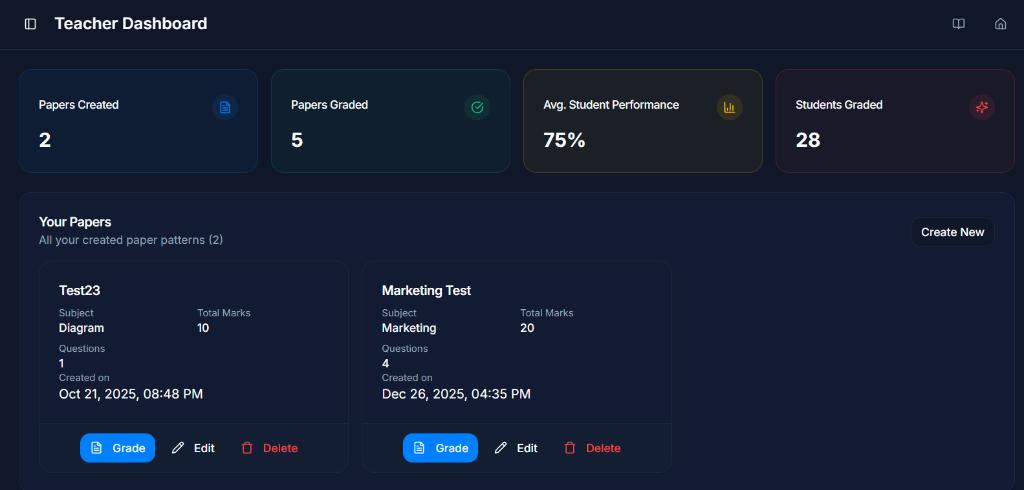
Manage Your Papers
Your personal dashboard gives you a bird's-eye view of all your papers, student performance, and grading progress. Create new papers with a single click.
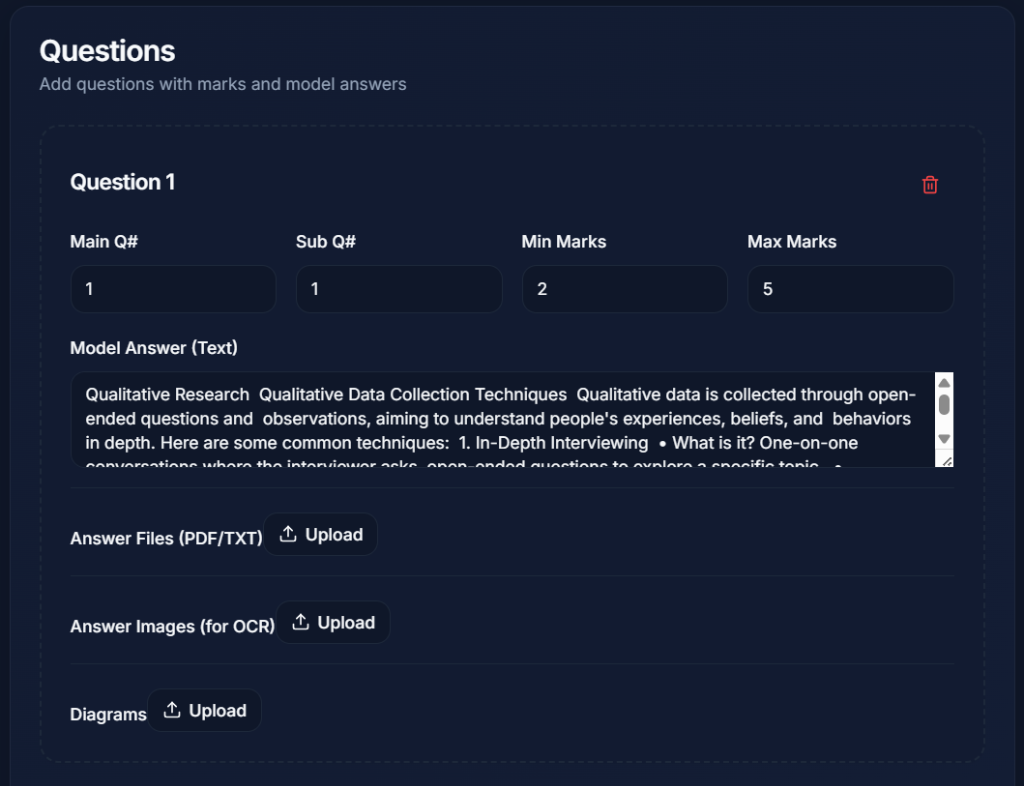
Build Your Paper
Define your grading rubric. Add main questions and sub-questions with specific mark ranges. Provide model answers in text or image format for the AI to learn.
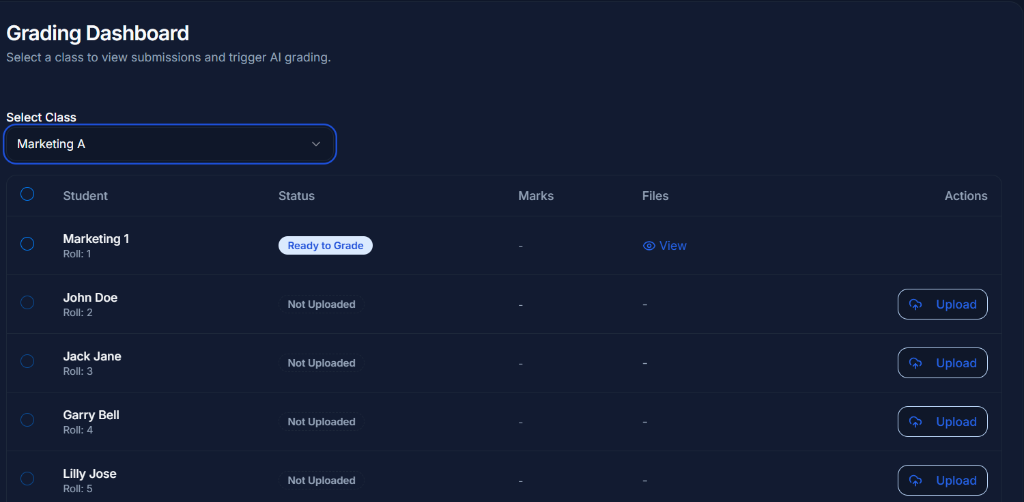
Monitor Submissions
See your classroom status in real-time. Know exactly who has uploaded, who is "Ready to Grade", and who needs a nudge. You can even upload on behalf of students.
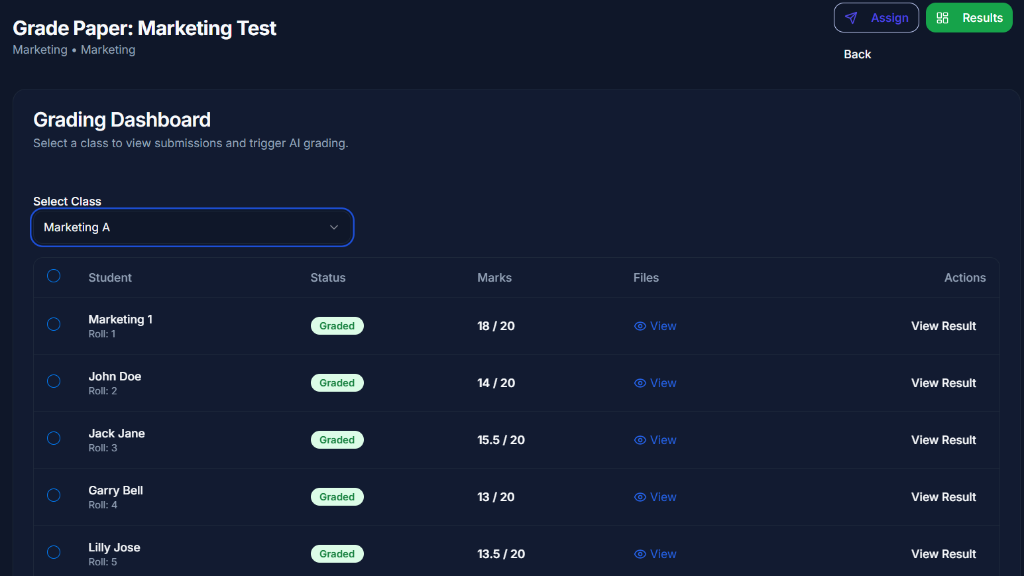
Review AI Grades
Instantly view AI-calculated marks for the whole class. Dive into individual results to audit the AI's logic and make manual overrides.
Performance Insights
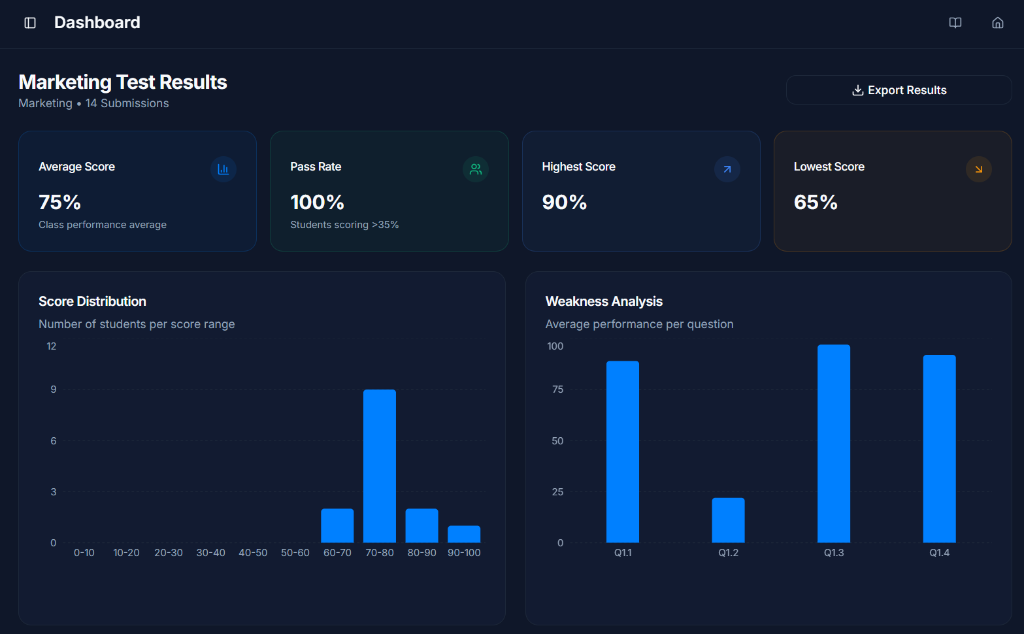
Go beyond just marks. Use Score Distributions and Weakness Analysis charts to identify which questions or topics your class is struggling with most.
Ready to transform your grading?
Experience the power of AI-assisted education today. Tutor-Swan is designed to save time for teachers and provide clarity for students.